Revocation
사용자에게 발행된 증명서(VC)를 폐기(Revocation)
STEP 1. [필수] VC 정보 확인
아래 가이드 문서를 참고하여, 폐기를 위한 정보를 가져온다
Note
VC발행(Credential issue) 시 고객정보와 함께 Mapping 관리하는 `cred_ex_id`, `revoc_reg_id`, `revocation_id` 등 정보가 필요합니다
STEP 2. [필수] VC 폐기(revoke)
- [Previous Condition] : topic
issue_credential, statecredential_acked - [Action] : 사용자 증명서 폐기(무효화)
- [Development] : 폐기 API 요청
폐기된 증명서는 사용자에게 폐기 되었다고 표시가 되고, 검증이 불가능 하다.
-
Method and Resource
POST/revocation/revokecredential의 revoke 요청. -
Body Parameter
| Name | Description |
|---|---|
cred_rev_id |
Credential revocation identifier |
rev_reg_id |
Revocation registry identifier |
publish |
(True) publish revocation to ledger immediately, or (False) mark it pending (default value) |
cred_ex_id |
Credential Exchange ID |
- Body Example
아래 두가지 모두 지원하기 때문에, 둘중에 하나만 사용하면 됨. cred_ex_id 방식이 관리가 편리하기 때문에 추천함.
cred_ex_id 로 폐기 하는 경우
cred_rev_id와 rev_reg_id로 폐기 하는 경우
{
    "cred_rev_id": "12345",
    "publish": true,
    "rev_reg_id": "WgWxqztrNooG92RXvxSTWv:4:WgWxqztrNooG92RXvxSTWv:3:CL:20:tag:CL_ACCUM:0"
}
cURL Request Example
curl --location --request POST 'https://dev-console.myinitial.io/agent/api/revocation/revoke' \
--header 'Content-Type: application/json' \
--header 'Authorization: Bearer 2ca4dd8a-xxxx-xxxx-xxxx-c5fb0286f2cc' \
--data-raw '{
    "cred_ex_id": "3fa85f64-5717-4562-b3fc-2c963f66afa6",
    "publish": true,
}'
- Response body
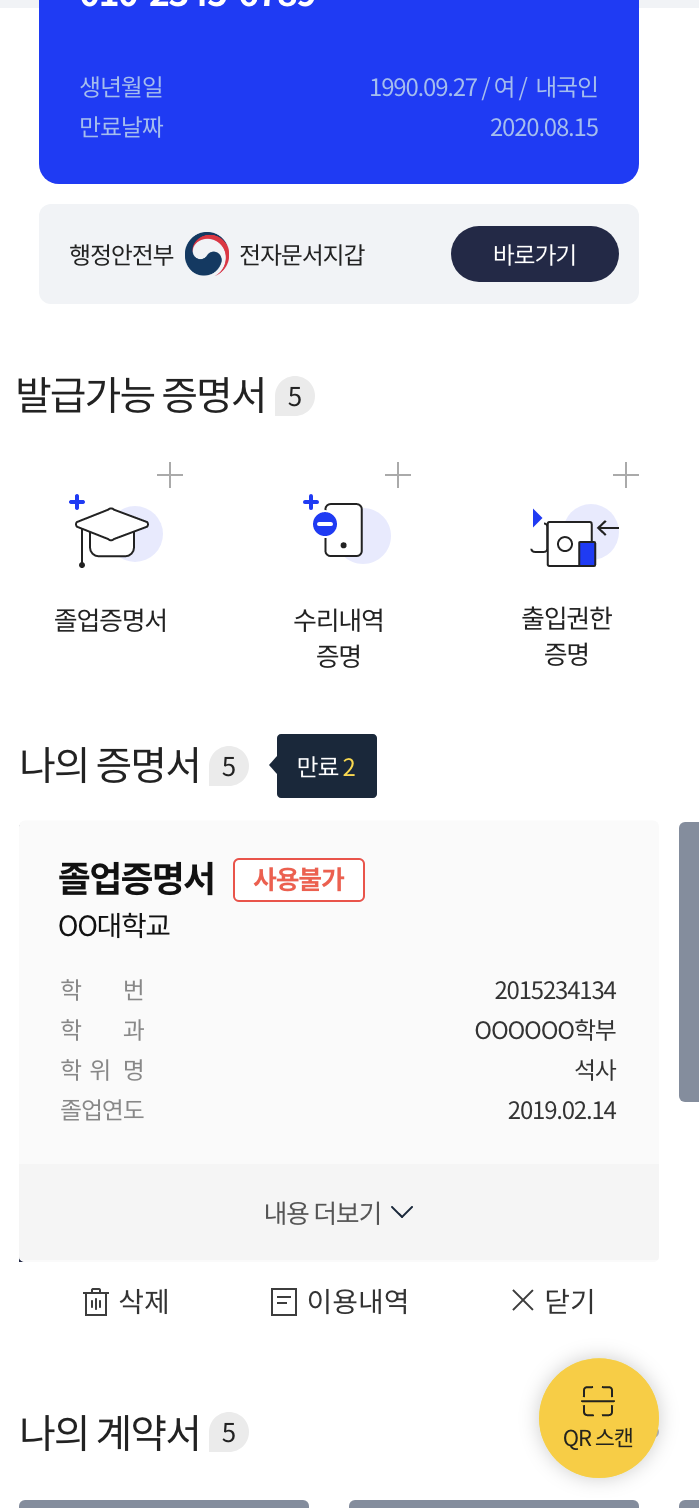
사용자의 initial app에는 아래와 같이 자동으로 '사용불가', '폐기됨'이 표시.
Note
사용자가 폐기된 증명서를 제출 시도하면 initial app은 증명서 선택을 차단하여, 제출 불가합니다.
[Option] 사용자에게 발행한 Credential을 폐기(revoke) 정보 전달
폐기 완료 후 문자/Push Notification/Webhook등으로 폐기 완료 전달.